How to Use Teddy Scripts
The ritual people already know — and the reasons to close the executor.
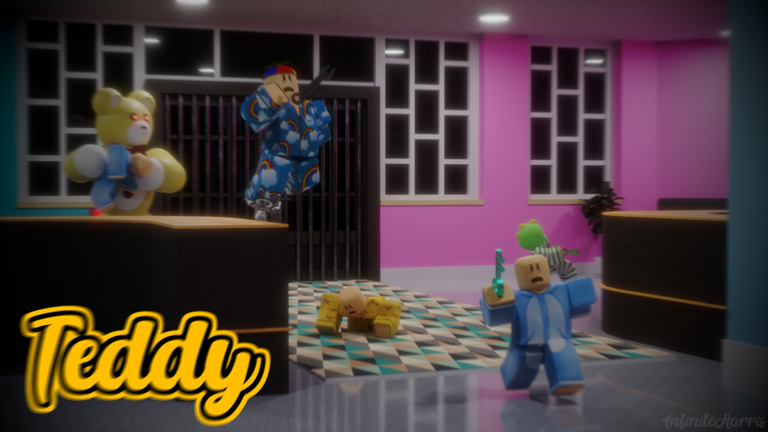
This page exists because “how to use” is part of the script search. It is not an invitation. The Scripts Hub currently lists no place-verified loadstring for GnomeCode’s Teddy. If that changes, the steps below are the same ritual every Roblox executor guide already repeats. If it does not change, use the alternatives at the bottom and keep your account.
The usual ritual (and why we hesitate)
People attach a third-party executor to the Roblox client, paste a loadstring, and press execute after the experience loads. That flow is how injectors work across the platform. It also sits outside Roblox’s rules. We will not name executors, we will not host a key system, and we will not pretend the flow is safe.
If you still walk that road, the only Teddy-specific rule is check the place ID. If the game is not 5901440255, you are about to run a Blox Fruits farmer or a Teddy Escape honey ESP in the wrong daycare. Close it.
Never paste a script a stranger sent in Discord. Never type your password into a “whitelist.” Never run a file that arrived as teddy.exe.
What a Teddy menu would even do
In this genre, players ask for key ESP, bear ESP, door ESP, and speed. Those features delete the audio game. They also make you worse at real lobbies when the menu breaks. If you need key ESP, you need the chapter walkthrough. If you need bear ESP, you need headphones and how to survive.
A menu cannot grant badges in a way you should trust. A menu cannot redeem codes that do not exist. A menu that says it can is malware with a UI.
Safer overlays
- Chapter checklist — paper ESP.
- Hide-spot tool — legal closet notes.
- Badge checklist — legal collection tracker.
- Guides Hub — the actual skill.
These run in a browser. They do not inject. They will not draw a box on a cog, and they will not ban you for reading.
If you already ran something
Change your Roblox password if you typed it anywhere that was not Roblox. Remove unknown browser extensions. Do not “try one more hub” to fix a broken one. Go play an AI Nursery with Getting Started and see whether you still like the game when the keys are invisible. That is the version worth favoriting.
If your friends insist
Send them the Scripts Hub empty table and this page. If they still paste a hub, play on another account or leave the lobby. You are not required to watch a menu draw boxes around a red key you could have found with the chapter checklist. A friend who mocks walkthroughs is not a good Camp partner.
If the menu “works” for one night and then the place updates, you learned nothing you can take to the next chapter. The Guides Hub still works after a publish. That is the whole argument.
Scripts are a side genre. Teddy is a six-player hug. Keep them in different folders of your brain.
One last test
If a paste asks for a key, close it. Keys are not walkthroughs. The Scripts Hub stays empty on purpose.
One last test
If a paste asks for a key, close it. Keys are not walkthroughs. The Scripts Hub stays empty on purpose.
Frequently Asked Questions
Quick answers players ask after a failed escape.
Do I need an executor to play Teddy?
No. The official client is enough. Start at [Getting Started](/guides/getting-started/).
Can a script unlock chapters?
Chapters are votes. Anyone who sells an unlock is lying.
Why won’t you paste a loadstring?
We do not have a place-verified one, and we will not invent one. See the [Scripts Hub](/scripts/).
What if a menu works in Piggy?
Piggy is a different place. Do not assume a universal hub is safe or correct for Teddy.
Can I use a script only to learn key locations?
Use the chapter walkthrough and the [chapter checklist](/tools/chapter-checklist/) instead. Those survive a patch.