Redeem Teddy Codes
A calm checklist for a box that usually is not there — and for the day it is.
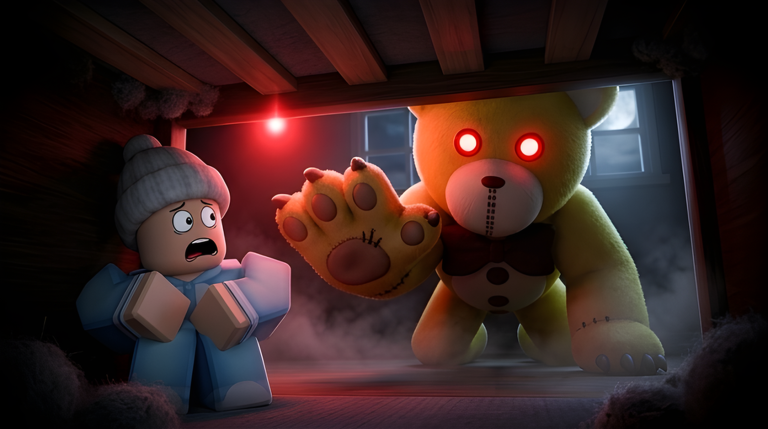
Most Teddy sessions will never need this page. GnomeCode’s game pays you in Puzzle Pieces, chapter badges, and the occasional seasonal badge, not in weekly coupon strings. Still, “how to redeem” is a real search, and a missing box is confusing if you just watched a video for a different bear game. This guide shows the safe order of operations so you do not type a code while Teddy is already in the hallway.
Confirm you are in the right place
Open Teddy from the URL on official links. The place ID should be 5901440255. If the thumbnail shows an orphanage lift and honey jars as the main objective, you wandered into Teddy Escape. If the script menu says Blox Fruits, you opened Teddy Hub. Neither one shares codes with this wiki’s game.
Stay in the lobby. Do not start a chapter vote until you finish looking. A redeem field, if it exists, lives in the pre-round UI: shop, settings, or a small gift button near the Puzzle Piece counter. It will not hide inside a Nursery locker.
If a live code exists
- Copy the string from the Codes Hub exactly. Caps matter.
- Paste it once. Do not add spaces or a hashtag unless the table shows one.
- Confirm the reward text. Puzzle Pieces, a face, or a temporary honey stack should name themselves.
- Rejoin if the UI looks stale. Game passes already warn that a new server may be required; a code grant can be the same.
- Write down what you received, then go play. Codes do not help you mid-chase.
If the box rejects the string, stop. Do not cycle twenty blog codes. Those lists are generated for search traffic. Come back to the hub after the next update note.
If you cannot find a redeem box
That is the normal state of Teddy. The shop is for Puzzle Pieces. The Roblox store is for Double Teddy Chance and Double Pieces. There is no secret “codes” tab that veterans hide from you. Close the menu and read Getting Started so the first vote is not a coin flip.
Players sometimes mistake chapter props for redeem UI. A keypad on a toy-store door, a note on a camp fridge, or a zoo plaque is a puzzle. Those answers belong in how to escape and the chapter walkthroughs, not in a global code table. Typing “TEDDY” into a keypad because a blog said so will not grant a skin.
Mobile, console, and chat mistakes
On a phone, the lobby shop can sit behind the vote panel. Rotate the camera around the spawn counter before you assume the feature is missing. On a controller, highlight the gift icon if one is present; do not open chat and send the code to the server. Chat is not a redeem channel and it tells the lobby you are distracted.
Never redeem during a round. Crouch habits from the controls guide matter more than a cosmetic. If you die because you opened a menu in the Toy Store, the code was not the problem.
What a real reward looks like
A legitimate grant should appear in the shop inventory, the honey count, or a badge toast. If nothing changes, you were not granted anything. Screenshot the exact error if you want to compare later. “Invalid” means the string is wrong or expired. “Already used” means that account already claimed it. “Not available in this experience” means you are in the wrong place.
After a real grant, decide whether the item is a survivor cosmetic or a Teddy tool. Extra honey only matters if you know how to play as Teddy. A new face does not change map difficulty. Spend remaining Pieces using the shop guide.
Safety notes
Nobody from this wiki will ask you to type a password, a Roblox cookie, or an email to “unlock codes.” If a pop-up leaves the Roblox client, close it. Scripts that promise “all codes auto redeem” belong on the Scripts Hub discussion, and they can cost the account. Prefer the official client and the pages above.
When you finish this checklist, you have either claimed a rare live string or confirmed that Teddy still has none. Both outcomes are success. Put the phone down, vote Nursery if you are new, and keep the chapter checklist open. The bear does not care that you read a codes page. The timer does.
Frequently Asked Questions
Quick answers players ask after a failed escape.
Why is there no Codes button in my Teddy lobby?
Because promo codes are not a regular feature. The shop and Roblox game passes are the normal purchase paths. Recheck the [Codes Hub](/codes/) after events.
Can I redeem a code in chat?
No. Chat is not a redeem box and it wastes time you need for [controls](/guides/controls/) and doors.
A keypad asked for a code. Is that a promo?
No. That is a chapter puzzle. Open the walkthrough for the map you voted, such as [Chapter 3 Toy Store](/guides/chapter-3-toy-store/).
Do I need to rejoin after redeeming?
If a real grant ever appears and the inventory looks empty, join a new server the same way you would after buying Double Pieces.